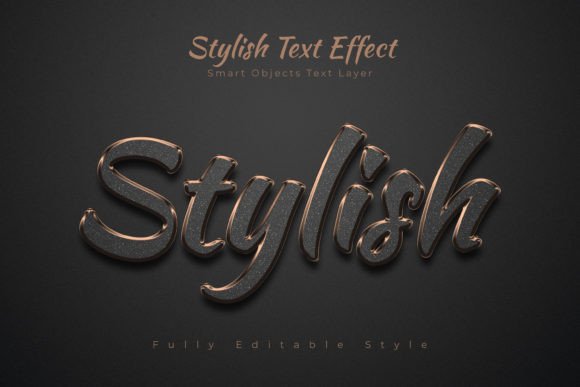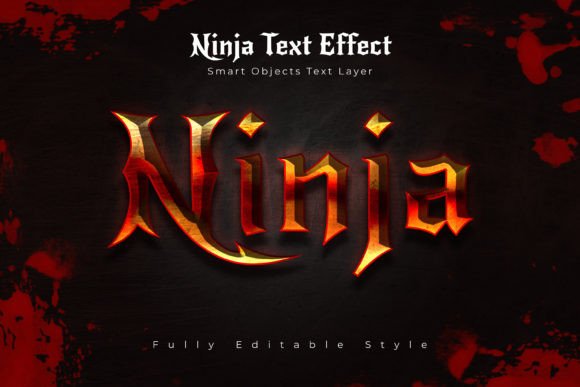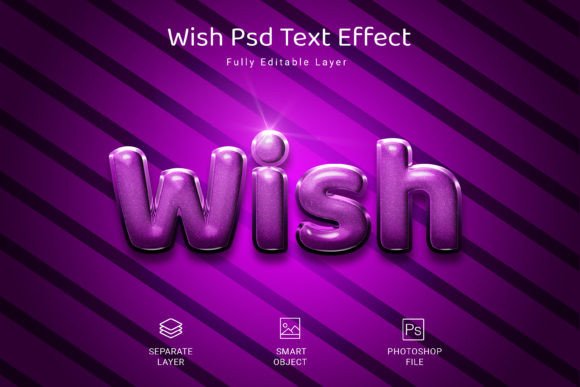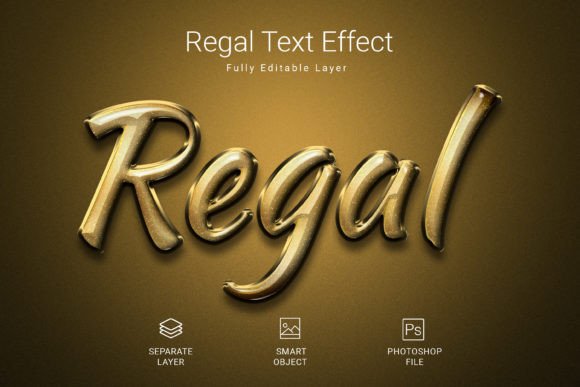
Transform Your Text: Instant High-End Visuals with a PSD Mockup
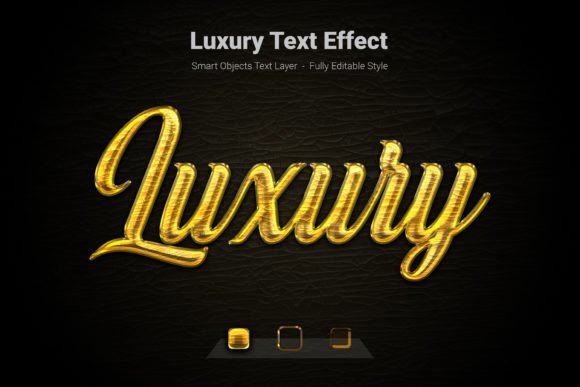
Every brand or personal project eventually hits a wall where the text feels flat. You have the words, the message, and the layout, but the typography lacks the punch needed to convey true luxury. While premium fonts are essential, sometimes they need that extra layer of depth—be it gold foil, chrome texture, or 3D depth—to truly stand out. This is where the Luxury Psd Text Style Effect Mockup becomes an invaluable asset for designers and entrepreneurs. It offers a streamlined solution to apply high-end finishing touches to your typography without spending hours on complex layer styles or lighting effects.
The Power of Instant Sophistication
In the fast-paced world of digital marketing and design, efficiency is just as important as aesthetics. This specific design asset bridges the gap between speed and quality. By utilizing Smart Objects in Adobe Photoshop, you can bypass the tedious process of manually adjusting bevels, lighting, and textures. The mockup is designed at a generous 3000x2000 pixel resolution with 300 DPI, ensuring that your final output is not only visually stunning but also print-ready. Whether you are designing a hero image for a website or a high-resolution print ad, the clarity remains uncompromised.
The visual appeal of this effect lies in its ability to mimic real-world materials. It takes standard vector shapes or text and transforms them into tangible objects. Imagine turning a simple logo into a gold-embossed stamp or a sans-serif header into a polished steel sign. This transformation is crucial for brands trying to position themselves in the upper echelon of their market. It signals to the viewer that the brand cares about details, which often translates to a perception of higher quality service or product.
Practical Applications for Modern Creators
One of the greatest strengths of the Luxury Psd Text Style Effect Mockup is its versatility. It isn't restricted to a single niche; rather, it serves as a universal tool for visual enhancement across various mediums.
For branding and logo design, this effect can be used to visualize how a logo might look on premium stationery or signage. Presenting a client with a mockup that shows their logo in 3D gold or silver can significantly impact their reaction and approval rate. It moves the design from a flat concept to a tangible brand experience.
Social media managers and content creators will find this particularly useful for creating stop-scrolling graphics. In a feed saturated with flat images, a text effect that pops with depth and texture can draw the eye immediately. It is perfect for announcing sales, launching new products, or simply creating a consistent, high-end aesthetic for an Instagram grid or Facebook cover photo.
Furthermore, those involved in packaging design and merchandise can use these styles to mock up product boxes, labels, or apparel designs. It helps in visualizing the final product before production begins. Similarly, for event planners and designers, creating digital invitations with a luxurious text effect sets the tone for the event, suggesting elegance and exclusivity right from the first interaction.
Streamlining Your Design Workflow
Time is a non-renewable resource, especially for small business owners and freelancers wearing multiple hats. The technical setup of this PSD file is optimized for rapid deployment. The process is intuitive: you simply locate the Smart Object layer, double-click to open it, paste your text or shape, and hit save. The main file updates instantly, applying the complex lighting and texture effects to your new content.
This workflow eliminates the learning curve usually associated with creating advanced text effects. You do not need to be a Photoshop expert to achieve professional results. The file is fully editable, allowing you to tweak the colors or textures if the default settings don't perfectly match your project's color palette. The RGB color mode ensures vibrant display on screens, making it ideal for web design and digital marketing assets, while the high resolution ensures it translates well to print materials like posters and brochures.
Enhancing Brand Identity and Readability
Typography is the voice of your brand visualized. Choosing the right typeface is the first step, but how you treat that typeface defines its personality. A Luxury Psd Text Style Effect Mockup acts as a stylistic amplifier. It helps in creating a distinct visual hierarchy. For instance, using a heavy, textured effect for headlines draws the reader in, while leaving body copy clean ensures readability.
When pairing fonts, consider the mood of the effect. A glossy, metallic finish pairs well with modern, geometric sans-serifs for a tech or futuristic vibe. Conversely, a subtle emboss or matte gold effect complements serif and script fonts, reinforcing a sense of tradition, elegance, and heritage. This ability to match the texture to the typeface is key to cohesive brand recognition.
However, a word of caution is necessary regarding readability. While these effects are beautiful, they are best suited for short bursts of text—headlines, logos, and call-to-action buttons. Applying heavy 3D effects to long paragraphs can make the text illegible and cause eye strain. Always prioritize the user experience; the design should guide the eye, not confuse it.
Strategic Selection and Licensing
When integrating such assets into your commercial projects, it is vital to understand the ecosystem of the design file. This particular mockup includes a free font, which is a significant advantage for entrepreneurs looking to minimize costs. However, always double-check the licensing of the included font if you plan to use it independently of the mockup for mass commercial distribution.
Before finalizing your design, test the effect on different backgrounds. While the file comes with a specific setup, placing it over a dark, moody background often yields the most dramatic and "luxurious" result, as the highlights and shadows of the text effect become more pronounced. On lighter backgrounds, you may need to adjust the opacity or add a subtle drop shadow to ensure the text remains the focal point.
Ultimately, tools like the Luxury Psd Text Style Effect Mockup democratize high-end design. They allow independent creators and small businesses to compete visually with larger corporations that have massive design budgets. By leveraging these smart assets, you ensure that your visual communication is not just heard, but felt, leaving a lasting impression of quality and professionalism on your audience.