Stop Scrolling: Crafting Magnetic Social Media Banners
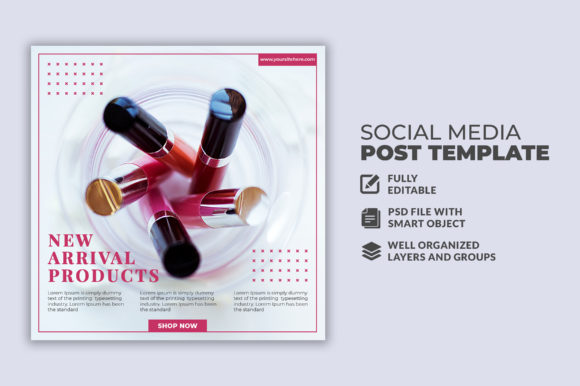
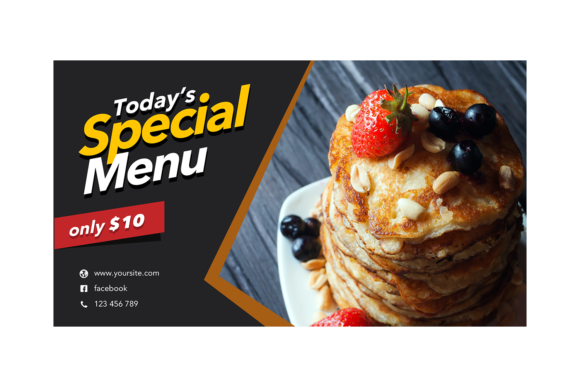
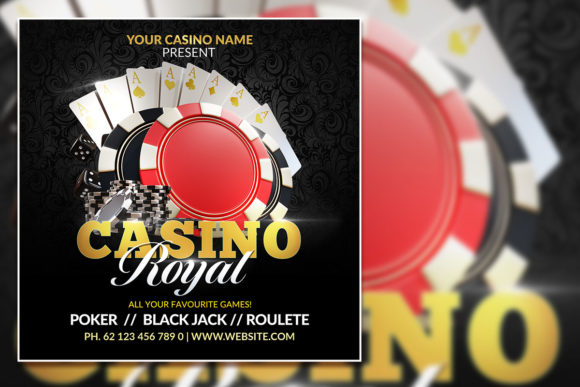
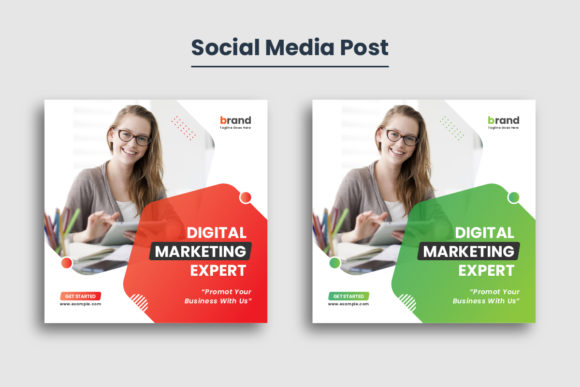
You know that split-second hesitation as a user scrolls through their feed? That moment where your thumb hovers, deciding whether to stop or keep moving? That is the battlefield for modern marketing. If you are a small business owner, a content creator, or a freelance designer, capturing that attention is no longer about having the loudest voice; it is about having the clearest visual signal. In a landscape dominated by fleeting glances, a high-quality Social Media Web Banner Template acts as your digital storefront window. It is the visual handshake that introduces your brand before a single word of your caption is read. However, creating professional-grade visuals from scratch every single day is a recipe for burnout. This is where the strategic use of pre-designed, high-resolution assets changes the game, specifically those built for Adobe Illustrator that prioritize flexibility and sharp, crisp output.
The Anatomy of a High-Impact Visual Asset
When we talk about a template that features a 1080×1080 pixel size and 300 DPI resolution, we are speaking the language of versatility. The square format is the Swiss Army knife of social media; it dominates the Instagram grid, performs exceptionally well on Facebook feeds, and translates beautifully to LinkedIn. But why does the resolution matter so much if it is "just" for the web? A 300 DPI resolution ensures that your graphics remain crisp and artifact-free, even if you decide to repurpose that digital design for a printed flyer or a small poster. It future-proofs your work.
The inclusion of an EPS file compatible with Adobe Illustrator 2018 CC is a critical detail for anyone serious about their brand identity. Unlike rasterized images (like JPEGs) that pixelate when you resize them, vector-based EPS files allow you to scale your designs infinitely without losing quality. This means you can take a specific element from your social media post and blow it up for a trade show banner without redesigning it. Furthermore, the ability to use RGB color mode ensures that your colors pop on backlit screens—phones, tablets, and monitors—providing that vibrant, eye-catching look that stops the scroll.
Beyond the Feed: Versatility in Branding and Marketing
A common misconception is that a social media template is only good for posting a picture with some text. In reality, a well-structured template serves as a foundational pillar for your entire brand identity. Imagine you have just launched a new product. You need an announcement for Instagram, a header image for your newsletter, a graphic for your website’s homepage, and perhaps a label for your packaging. Using a cohesive template ensures that the visual language remains consistent across all these touchpoints.
Consider the practical applications for different users:
- For the E-commerce Entrepreneur: Use the template to create uniform product showcases. A consistent layout helps customers recognize your products instantly, building trust and brand recognition.
- For the Blogger or Vlogger: Create "New Post" announcements or quote graphics that match your website’s aesthetic. This bridges the gap between your social audience and your primary platform.
- For the Freelance Designer: Utilize these assets to speed up client delivery. Instead of building grids and layouts from zero, you can focus on customization and typography, offering a faster turnaround without sacrificing professional presentation.
- For Event Planners: Design digital invitations or "Save the Date" graphics that look just as good on a phone screen as they do in a printed brochure.
The key here is the "Quick and easy to customize" nature of the file. It is not about cutting corners; it is about working smart. When the structure is already sound, your creative energy can be spent on the message rather than the mechanics.
Typography and Readability: The Silent Salespeople
One of the most overlooked aspects of banner design is typography. A template is only as good as its readability. If a user has to squint to read your value proposition, you have lost them. When working with a Social Media Web Banner Template, pay close attention to the hierarchy of information. The template likely utilizes a mix of typefaces—perhaps a bold display font for the headline and a clean sans serif font for the body text.
If you are customizing these templates, consider the following advice to maximize audience engagement:
- Limit Your Palette: Stick to two or three fonts maximum. Mixing a serif font with a modern typography sans serif often creates a beautiful contrast that is easy to read.
- Check the Free Fonts: Since the asset package includes free font use, verify the licensing. Most free fonts allow for commercial use, but it is always wise to double-check the "readme" file to ensure your marketing assets are legally sound.
- Test on Mobile: Before finalizing a design, view it on your phone. Does the text contrast enough against the background? Is the call-to-action button clear?
Remember, the goal is visual consistency. If your logo uses a script font, try to incorporate a similar style or a complementary handwritten font into your banners to create a cohesive emotional feel. This subtle alignment reinforces your brand's personality, whether it is playful, corporate, elegant, or edgy.
Customization: Making the Template Your Own
There is a valid concern among creatives that using templates might lead to a "cookie-cutter" look. However, the professionals who get the most out of design assets understand that the template is merely a canvas, not the painting. The real magic happens in the customization phase.
Because the file is provided in EPS format, you have total control. You can deconstruct the layout. If the template has a photo placeholder on the left, move it to the right. If the color scheme is blue, swap it out for your brand’s specific hex codes. The 1080x1080 size is a standard canvas, but you can easily adjust the artboard for different needs—perhaps a vertical story or a wide web header—without breaking the design logic.
Think about packaging design and merchandise. You might take a graphic element from the social media template—like a decorative border or a background texture—and apply it to a sticker or a mug. This creates a seamless ecosystem for your brand. A customer who sees your Instagram post should feel a sense of familiarity when they receive your product in the mail. That cohesion is what separates amateur side-hustles from established businesses.
Strategic Deployment for Maximum Impact
Finally, having a beautiful graphic is only half the battle. You need a strategy for deployment. A Social Media Web Banner Template is a tool for communication, and like any tool, it must be used with intent.
Use these high-resolution visuals for marketing assets that drive specific actions. Are you running a sale? Use bold colors and a clear "Shop Now" text overlay. Are you announcing a blog post? Use a teaser quote and a "Link in Bio" instruction. The professional look of the 300 DPI graphic subconsciously signals to your audience that you are a legitimate, trustworthy entity. It bridges the gap between a hobbyist posting random photos and a business curating a brand experience.
Whether you are designing for editorial layouts, digital products, or simply maintaining your daily social presence, the efficiency of a pre-made, high-quality template cannot be overstated. It frees up your time to focus on what truly matters: connecting with your audience and growing your vision. In the fast-paced digital economy, that efficiency is not just a convenience; it is a competitive advantage.